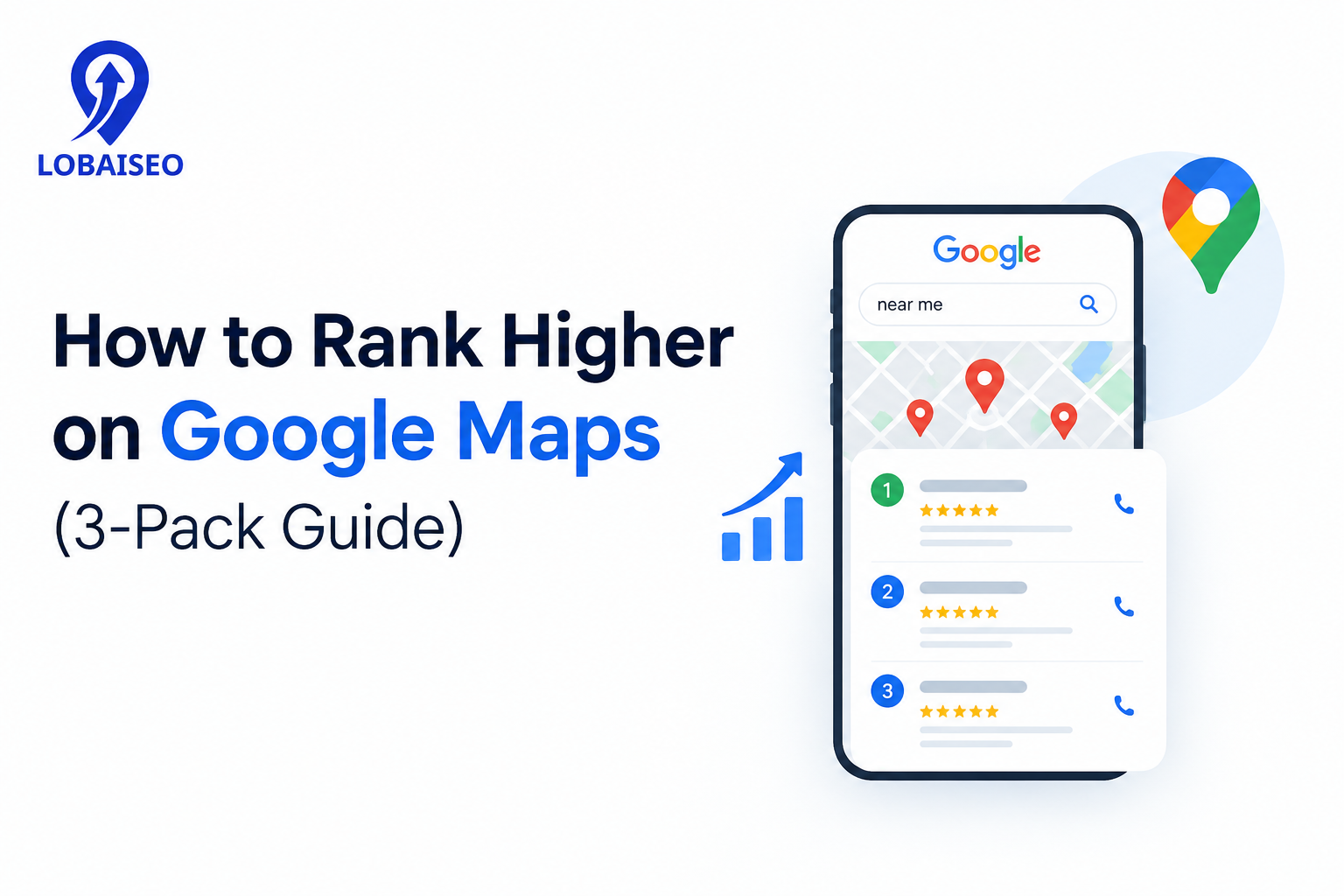
Google Maps rankings depend mainly on relevance, distance, and prominence. Businesses can improve their local search presence by maintaining accurate Google Business Profiles, earning genuine reviews, and building a trustworthy online presence. At Lobaiseo, we use these principles to manage local search visibility for businesses across single and multi-location networks.
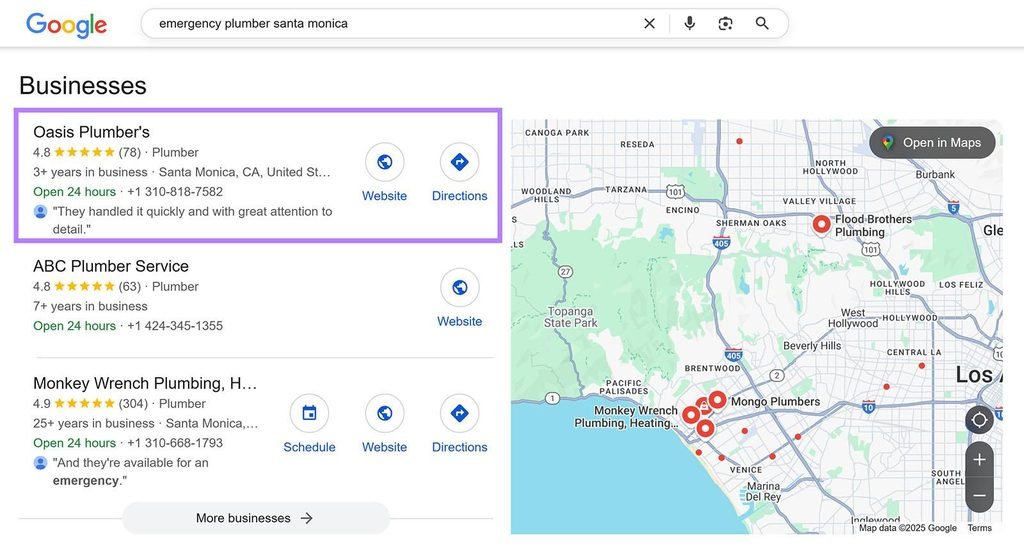
What Is the Google Maps 3-Pack?
The Google Maps 3-Pack is the group of three prominent local business listings commonly displayed in Google Search for searches with local intent. For example, someone searching for “hotels near me” or “AC repair in Ludhiana” may see three local businesses before exploring more results on Google Maps.
These listings can display a business name, review rating, address or service area, opening hours, phone number, photographs, and other relevant details. The exact information depends on the search and business category.
Appearing in these three positions can give a business greater visibility when nearby customers are looking for its products or services. However, the results are not fixed. The businesses shown can change according to the search phrase, searcher’s location, and other ranking signals.
At Lobaiseo, we also explain practical Google Business Profile concepts through our YouTube Shorts, including topics that matter to businesses improving their local search presence.
What Factors Affect Google Maps Ranking?
Google identifies three main factors behind local search rankings: relevance, distance, and prominence. These factors work together to determine which businesses are suitable for a particular local search. Google does not publish exact ranking weights or a formula that businesses can use to calculate their position. Google’s official local ranking guidance.Relevance measures how well a Business Profile matches what someone searches for. A business should select the most accurate primary category and provide complete information about its actual products and services. For example, an AC repair company should clearly describe its repair and maintenance services instead of relying on a vague business description.
Distance refers to the physical distance between the business and the searcher or the location used in the search. This explains why the same business can appear in the top three results in one part of a city but rank lower in another. A business cannot simply change its service area or add city names to force a better distance-based position.
Prominence refers to how well-known a business is. Google considers information such as links from other websites and customer reviews. Genuine reviews, positive ratings, and a recognised online presence can contribute to a business’s prominence.
What does independent local SEO research say?
Google explains the broad ranking framework, but it does not publish a complete list of ranking signals or their exact weights. To understand how industry professionals interpret these signals, the Whitespark 2026 Local Search Ranking Factors study offers additional insight.
The study surveyed 47 local search experts who evaluated 187 factors across local Maps rankings, local organic search, conversions, and AI search visibility. It includes areas such as Google Business Profile information, reviews, links, website content, citations, and behavioural signals. These are expert opinions based on industry experience, not Google’s internal algorithm data. Whitespark+1
For businesses, this research reinforces an important point: Google Maps optimisation should not be limited to filling out a profile. The website, reviews, business information, and wider online reputation also deserve attention.
Step-by-Step: How to Improve Your Map Pack Position
Improving Google Maps visibility requires consistent work across the Business Profile, website, customer reviews, and business information. A completed profile is a starting point, not a guarantee of higher rankings. The following process gives businesses a practical way to improve their local search presence.
Step 1: Verify and complete your Google Business Profile
Start by claiming and verifying the correct Business Profile. Check the business name, primary category, address, phone number, website, opening hours, and services. Use the actual business name and avoid adding unnecessary keywords to it.
Google recommends providing complete and accurate business information so that its systems can better understand the business and match it with relevant searches.
Step 2: Choose the correct business categories and services
Your primary category should describe the main activity of the business. Additional categories should represent other genuine services or activities.
For example, a hotel should use an appropriate hotel category rather than selecting unrelated categories simply to appear for more searches. Similarly, an AC service company should select a category that accurately represents its primary work.
Review the available categories periodically, especially when the business changes its services.
Step 3: Keep business information consistent
Check that the business name, address, and phone number are accurate across the Google Business Profile and important business directories.
For a multi-location company, maintain a separate record for each genuine business location. Each location should have its own correct address, phone number, opening hours, and relevant website landing page where appropriate.
This is particularly important for dealership networks, hotel chains, and franchises, where small differences in location information can create confusion for customers.
Step 4: Collect genuine customer reviews and respond to them
Customer reviews influence how people evaluate a business and contribute to Google’s understanding of its prominence. Ask customers for honest feedback after a genuine interaction. Never purchase reviews, offer incentives in exchange for positive ratings, or ask only satisfied customers to leave feedback.
BrightLocal’s 2026 Local Consumer Review Survey, based on 1,002 US adult consumers, found that 85% of respondents were more likely to use a business after reading positive reviews, while 77% said negative reviews made them less likely to use a business. The survey also found that 74% of consumers only considered reviews written within the previous three months. These figures describe consumer behaviour, not direct Google ranking improvements.
For businesses handling reviews across multiple locations, a central review management process can help teams monitor feedback, identify recurring complaints, and maintain consistent response standards.
Step 5: Improve your website’s local relevance
Your website should clearly explain what your business offers and where it operates. Create useful service pages and location-specific pages for genuine business locations. Include accurate contact information, relevant service details, and clear ways for customers to get in touch.
For example, a hotel group operating in several cities should have dedicated pages for its individual properties rather than sending every Google Business Profile to one general homepage.
The Whitespark 2026 research also identifies dedicated service pages and geographic relevance among important local organic ranking considerations. These are expert-assessed factors for local organic search and should not be confused with a confirmed Google Maps ranking formula. Whitespark
Step 6: Add useful photographs and keep the profile current
Upload genuine photographs that represent the business, its premises, products, services, and customer experience. Keep opening hours, holiday hours, contact information, and other profile details updated.
For a hotel, useful photographs might include guest rooms, reception areas, dining facilities, and property amenities. For a dealership, they might show the showroom, service centre, and available facilities.
Avoid misleading photographs, duplicate uploads, or images that do not represent the actual business.
Step 7: Measure local visibility and customer actions
Do not measure progress through a single Google Maps search. Check how your business appears across different locations and search phrases.
A local rank-tracking grid can show how visibility changes across a service area. At the same time, Google Business Profile Performance reports customer actions such as calls, website clicks, directions, and profile views.
Google clarifies that profile views are not the same as total views of a business across Google Search and Maps. Calls and website clicks also represent button interactions rather than confirmed sales.
At Lobaiseo, we use this combination of profile management, local visibility monitoring, and performance tracking to assess how businesses are performing across their locations. The focus should be on understanding where visibility is improving and which locations still need attention.
How to measure Google Maps performance
| Metric | What it tells you | What it tells you |
| Local ranking position | Visibility for selected search terms | Local rank-tracking grid |
| Profile views | How often profiles were viewed | GBP Performance |
| Calls | Clicks on the call button | GBP Performance |
| Website clicks | Visits initiated through the profile link | GBP Performance |
| Direction requests | Requests for directions to the business | GBP Performance |
For reliable comparisons, record the search terms, measurement locations, dates, and reporting periods. Compare similar periods and avoid treating an increase in profile views as proof of a ranking improvement.
Common Mistakes That Hurt Google Maps Ranking
Incorrect business information, unsuitable categories, duplicate profiles, and neglected customer reviews can weaken the quality and reliability of a business’s online presence. Keyword stuffing the business name is another common mistake. Google requires businesses to use their real-world names and follow its profile guidelines.
Businesses should also avoid creating profiles for locations that do not exist or using virtual offices as physical business locations when they do not meet Google’s eligibility requirements. Multi-location brands should pay particular attention to duplicate listings and inaccurate location details.
Another mistake is expecting immediate ranking improvements after making profile changes. Google says verified profile edits usually take up to 10 minutes to review, but some can take up to 30 days. This is an edit-review timeline, not a ranking guarantee.
FAQs
Start with a verified and complete Google Business Profile. Use the correct category, keep business information accurate, collect genuine customer reviews, and build your business’s online prominence. Lobaiseo’s local SEO services for small businesses focus on these core areas without promising a guaranteed 3-pack position.
What Factors Affect Google Maps Ranking?
Google says there are three primary local ranking factors: relevance, prominence, and distance. Relevance is how well your profile fits the search, distance is the searcher’s location, and prominence is how well-known the business is online and offline.
Why Is My Competitor Ranking Higher on Google Maps Than Me?
Maybe your competition has a better match for the search, more notoriety, more reviews, or a location closer to the searcher. Google also takes into account information from all across the web, so rankings are not based on just one profile option.
Does Distance From the Searcher Affect Maps Ranking?
Yes. Distance is one of Google’s main local ranking factors. Google considers how far each business is from the searcher or the location used in the search. This means a business may rank differently for the same search from different locations.
How Long Does It Take to Rank in the Local 3-Pack?
There is no fixed timeline for reaching the local 3-Pack. Google says new businesses can take up to a month to appear in search results, while profile changes can take several days to appear. Competitive searches may require ongoing improvement rather than a one-time update.
One thought on “How to Rank Higher on Google Maps (3-Pack Guide)”