A complete Google Business Profile optimization checklist covers business information, categories, services, photos, reviews, and website links. At Lobaiseo, we use these checks when managing local businesses and multi-location networks, where accurate information across every listing is essential for customers and local search visibility.
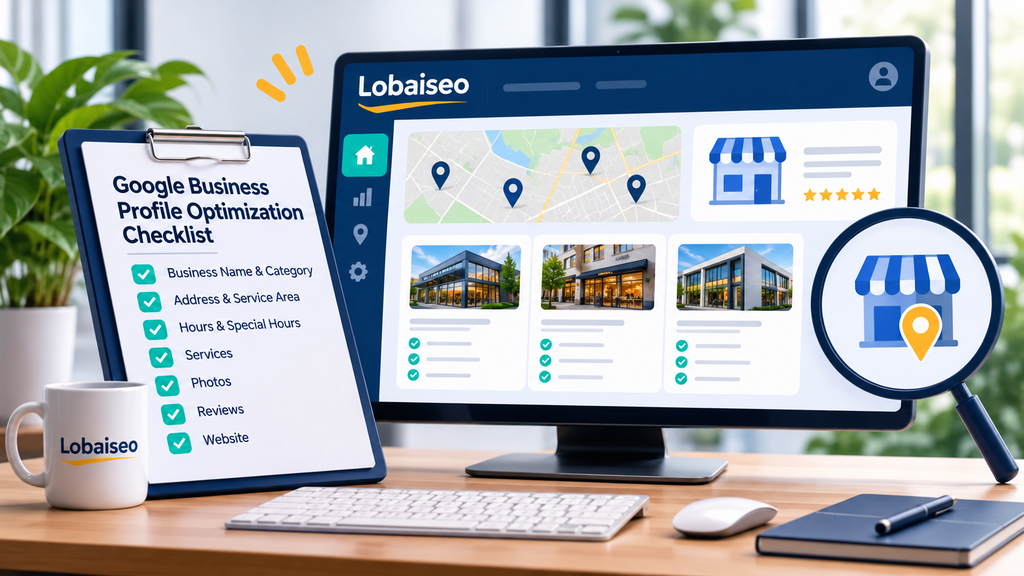
The Complete GBP Profile Setup Checklist
A properly configured Google Business Profile needs more than a business name and phone number. Check that the business name matches its real-world branding, the primary category reflects its main activity, and the address or service area is accurate. Add the correct phone number, website, operating hours, services, and a useful business description.
Google allows businesses to select one primary category and up to nine additional categories. Service-area businesses can specify up to 20 service areas. For photos, Google recommends JPG or PNG files, 720 × 720 pixels, with a file size between 10 KB and 5 MB.
GBP setup checklist
| Profile field | What to verify |
| Business identity | Real business name, primary category, additional categories |
| Location | Correct address, map pin, or service areas |
| Contact details | Phone number, website, operating and special hours |
| Profile content | Description, services, attributes, photographs |

For multi-location businesses, maintain a separate record for each eligible location. This makes it easier to identify missing information, outdated hours, and incorrect contact details before they affect customers.
Through Lobaiseo’s YouTube Shorts, it also addresses practical GBP setup problems, like frequent profile management troubles.
Which GBP Fields Impact Ranking the Most?
Google identifies three main factors behind local search rankings: relevance, distance, and prominence. Relevance measures how closely a profile matches a search, distance considers the searcher’s location, and prominence reflects how well-known a business is. Complete business information, suitable categories, customer reviews, and relevant website information help businesses build a stronger local presence.
The three confirmed local ranking factors
| Ranking factor | What it means | Optimization focus |
| Relevance | Match between search and business | Categories and accurate information |
| Distance | Proximity to the searcher | Correct location details |
| Prominence | How well-known the business is | Genuine reviews and online presence |

The main areas to review are your primary category, business information, services, location details, reviews, and website relevance. No single field guarantees higher rankings. Lobaiseo’s local SEO services for small businesses focus on keeping these signals accurate and useful for local search.
How Often Should You Update Your GBP Profile?
Google Business Profile information should be updated whenever business details change. Review opening hours before holidays, correct phone numbers after changes, and update services when the business introduces or removes an offering. Customer reviews should be monitored regularly, while photos and profile information should be checked as part of a monthly maintenance routine.
Google’s Performance report also helps businesses understand profile activity through searches, views, calls, website clicks, and direction requests. Comparing these metrics over consistent periods can reveal changes in customer interest.
For practical profile management examples and local SEO guidance, explore the Lobaiseo YouTube channel.
Common GBP Optimization Mistakes to Avoid
Incorrect business names, unsuitable categories, outdated contact details, and duplicate listings can create problems for businesses and customers. Google’s guidelines require business names to match real-world branding. Businesses should also use accurate physical addresses and avoid creating multiple profiles for the same location.
Another mistake is treating profile optimization as a one-time task. Missing photos, outdated hours, unanswered reviews, and incorrect service information can reduce customer confidence. Service-area businesses should also avoid displaying residential addresses when customers are not served at that location.
Common mistakes and their corrections
| Common mistake | Correct approach |
| Adding keywords to the business name | Use the actual business name |
| Selecting unrelated categories | Choose categories that describe the business |
| Creating duplicate profiles | Maintain one eligible profile per location |
| Displaying incorrect information | Review and update business details |
For businesses with several branches, these errors can occur at different locations and require regular checks. A central location-wise audit helps identify discrepancies and maintain consistent business information across the network.
FAQs
Fill in all important GBP fields with correct information, choose appropriate categories, use good photographs, keep business hours up to date, reply to reviews, and link the profile to a relevant website. These core regions are used by Lobaiseo to manage local profiles for different company types.
What information is most important on a GBP listing?
A GBP listing has several key components, such as business name, main category, address or service area, phone, hours, services, website, photographs, and reviews. By providing accurate information, clients can learn about your business and get the data they need before reaching out.
Does adding photos to GBP help ranking?
Photos can help customers understand a business and make a profile more useful. They are not a guaranteed ranking factor by themselves. Businesses should upload clear, relevant images and keep them updated. Lobaiseo also covers practical profile improvement tips through its YouTube Shorts.
How do I know if my GBP profile is fully optimized?
Check whether all relevant fields are complete, business information is accurate, categories are suitable, photos are useful, reviews receive responses, and the profile matches the business website. Lobaiseo uses similar checks when working across single-location, multi-location, and larger business profiles.
17 thoughts on “Google Business Profile Optimization Checklist”